


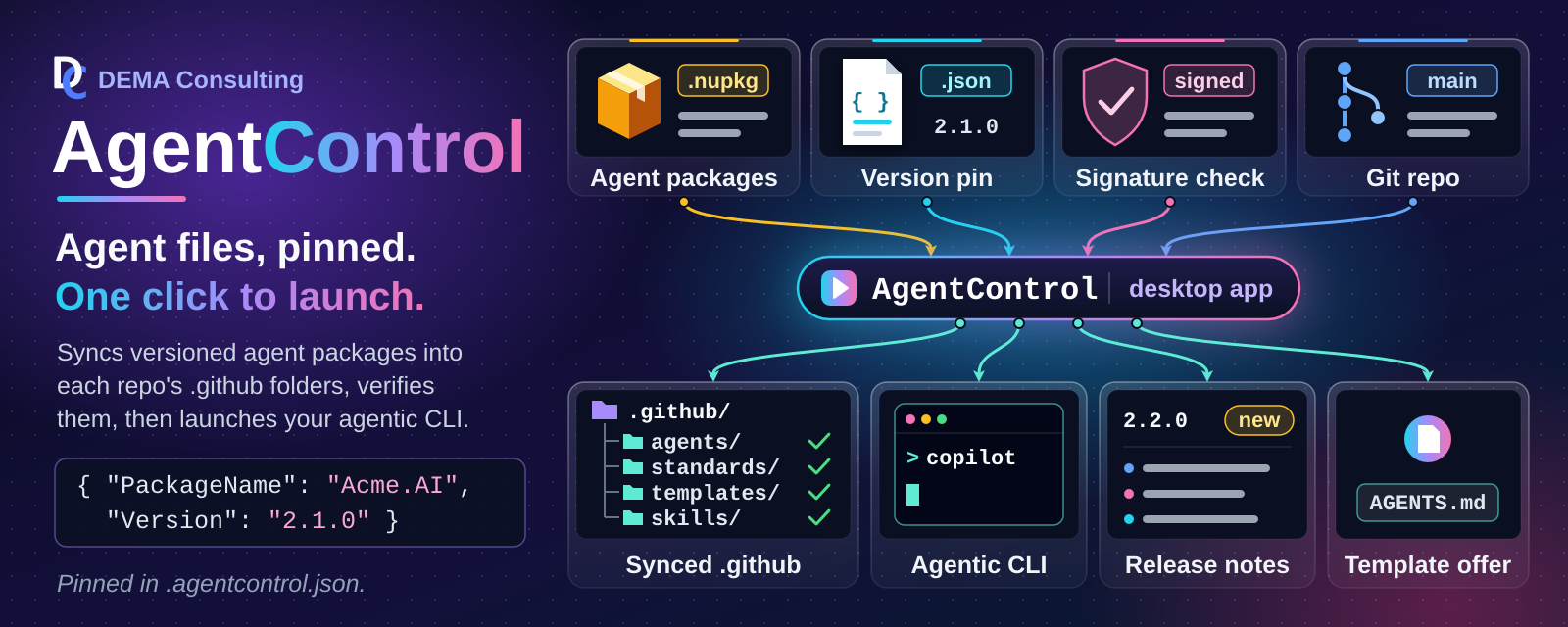
AgentControl is a Windows desktop launcher that lets a company distribute proprietary AI-agent configuration
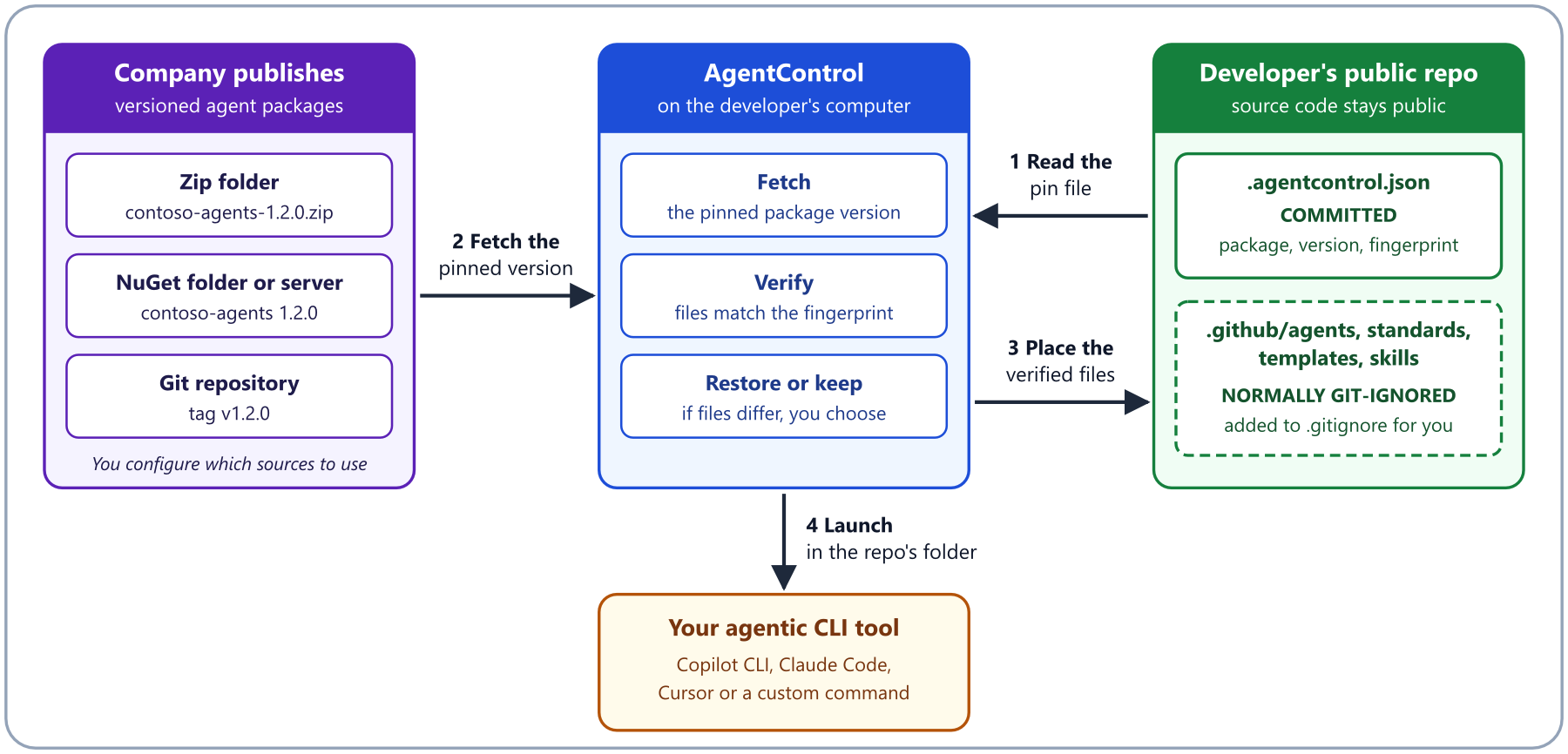
alongside public source repositories, without committing that content to source control. Each repo pins an exact
package version in its .agentcontrol.json file. AgentControl syncs the repo's .github/agents,
.github/standards, .github/templates, and .github/skills folders to that version, then launches your agentic
CLI tool in the repo.
- 📌 Version-Pinned Packages: Pins an exact package version per repo in
.agentcontrol.json - 🔒 Verified Agent Files: Checks package-managed files against the pin's recorded fingerprint at launch
- 🔁 Restore or Keep: Asks whether to restore the pinned files or keep your changes
- 🗂️ Multiple Package Sources: Zip folders, NuGet folders and servers, or Git repository tags
- 🔑 Protected Servers: Signs in per session, with optional Git credential helper storage
- ✍️ Signed Packages: Requires validly signed NuGet packages, optionally from one publisher
- ⬆️ Upgrade Notifications: Shows newer versions and their release notes before you upgrade
- 📄 AGENTS.md Template: Offers a package's starter AGENTS.md to repos that lack one
- 🚀 Configurable Agent Tool: Launches Copilot CLI, Claude Code, Cursor, or a custom command
- 🐚 Shell Choice: Picks the launch shell and can keep it open after the tool exits
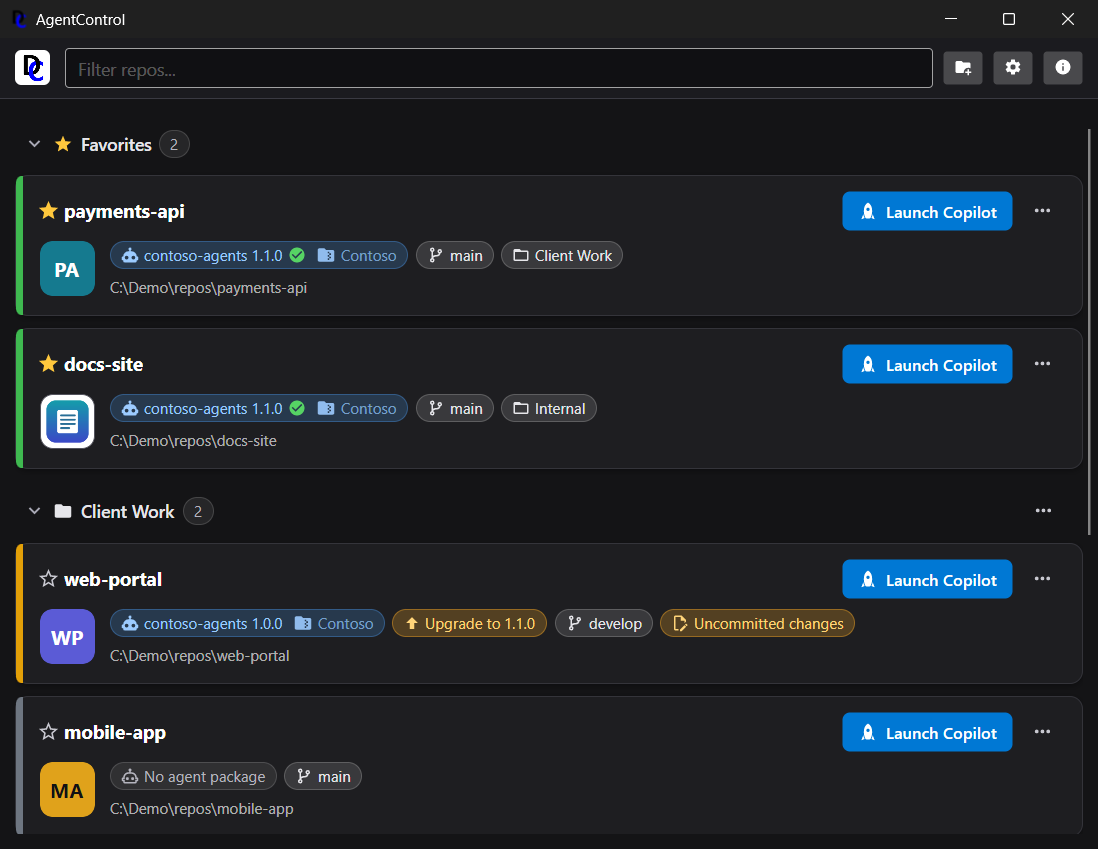
- 🌿 Git Integration: Shows the branch, runs Git Pull, and warns about committed agent files
- 🏷️ Repo Cards: Show a status bar and chips for package, upgrade, and branch
- ⭐ Groups and Favorites: Organizes repos with favorites, colored groups, and card colors, all in your own order
- 🌗 Light and Dark Themes: Follows the system theme or uses a fixed choice
- ⚡ Responsive: Reads package sources in the background, with progress and Cancel
- 📦 Easy Install: Ships as an MSI installer with a self-contained .NET runtime
- Download the latest
AgentControl-{version}.msifrom the releases page. - Run the installer and follow the prompts.
- Launch AgentControl from the Start menu.
The application is self-contained, so the machine needs no .NET runtime. Only a Git repository package source needs Git 2.29 or newer; the other source kinds need no Git.
- Open Settings and add a package source: a zip folder, a NuGet folder or server, or a Git repository.
- Click Add repository and choose one or more Git repository folders, or drag them from File Explorer onto the list.
- In the repo card's "..." menu, choose Select Package... and pick a package and version.
- Click Launch to start your agentic CLI tool in the repo.
See the User Guide for everything else: groups, upgrades, sign-in, and the Settings window.
- AgentControl never stores secrets. A sign-in is kept in memory for the session, unless you choose to hand it to your own Git credential helper.
- When a pin records a content fingerprint, agent files are verified against it, so a republished version is not applied silently (a cached NuGet copy can hide a server-side republish until the cache is cleared; pins from older versions have no fingerprint).
- Git sources run with a hardened command line (no hooks, submodules, or LFS), and NuGet sources can require signed packages.
See the User Guide sections on version immutability and trust, signed packages, and what is stored.
- User Guide: installation, using AgentControl, and configuring package sources
- Authoring Agent Packages: how to build a zip, NuGet, or Git agent package
- Architecture: the system design
See CONTRIBUTING.md for guidelines on reporting bugs, suggesting features, and submitting pull requests.
Copyright (c) DEMA Consulting. Licensed under the MIT License. See LICENSE for details.
By contributing to this project, you agree that your contributions will be licensed under the MIT License.