


Listen to EPUB and PDF books from the terminal, in a good voice, starting where you stopped.
For the books you keep meaning to read — the 25-hour technical ones — while you cook, walk or fold laundry. No subscription, no cloud, no account: the voice runs on your own machine.
- Install · Your first book · Following along
- Commands · Flags · Config
- How it works · Requirements · PDFs
- Exit codes · What it does not do · License
One Rust binary, compiled on your machine. Rust 1.99 or newer — rustup is the shortest
path to that:
curl --proto '=https' --tlsv1.2 -sSf https://sh.rustup.rs | sh
cargo install --locked libretto
cargo install puts libretto in ~/.cargo/bin, which rustup already keeps on your
PATH. --locked builds against the dependency versions this release was tested with.
Track main instead of a release:
git clone https://github.com/dandrok/libretto
cd libretto && cargo install --path . --locked
Check the build before you rely on it — doctor names whatever is missing:
libretto --version    # libretto 1.12.2
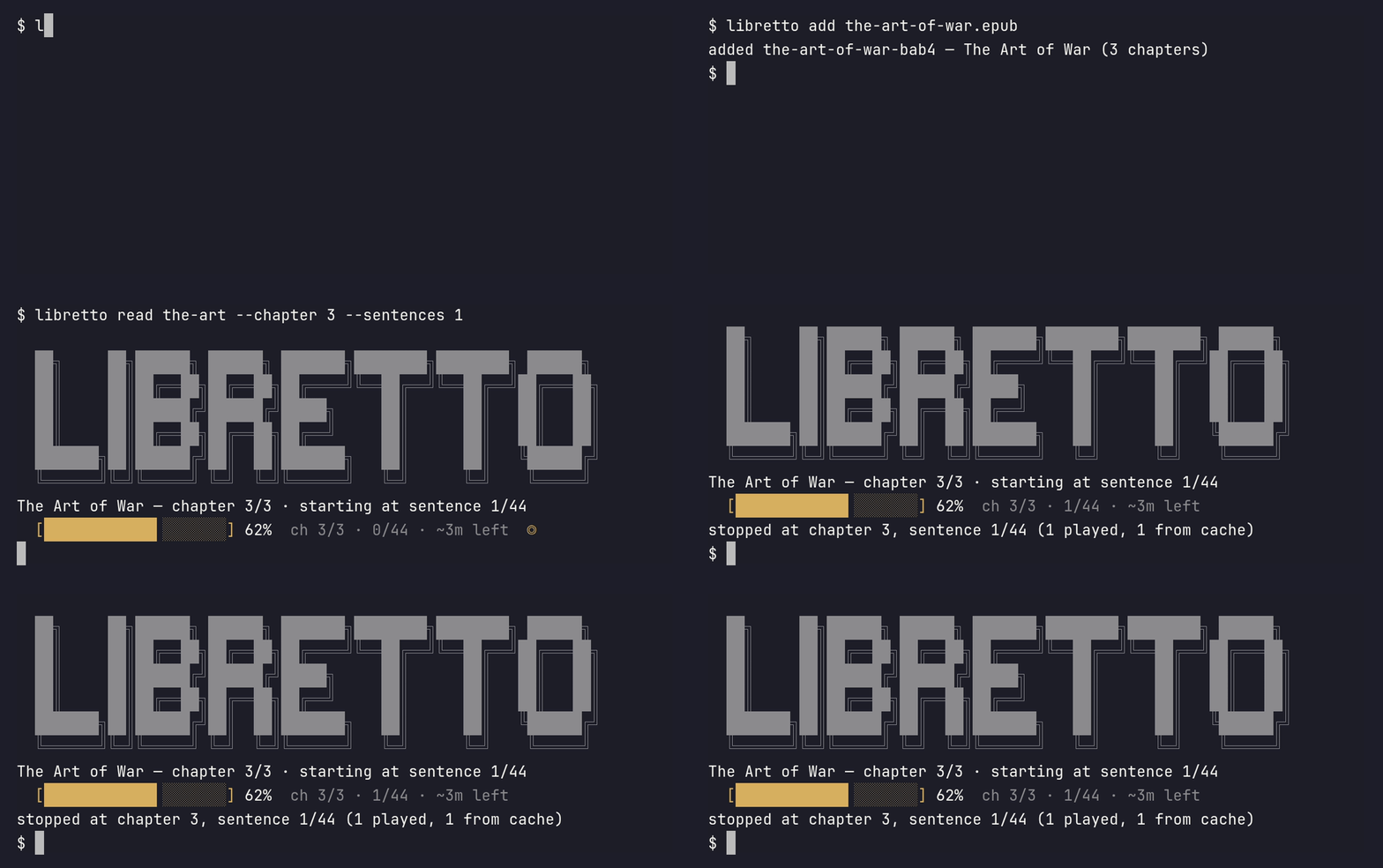
libretto doctorlibretto add "Grokking Algorithms.epub"added grokking-algorithms-second-e-ebcf — Grokking Algorithms, Second Edition (25 chapters)
Listen, from the beginning or from where you stopped last time:
libretto read grokking --chapter 9 --sentences 3Grokking Algorithms, Second Edition — chapter 9/25 · starting at sentence 1/287
Grokking Algorithms, Second … · ch 9/25 · 3/287 · af_heart ×1.00
stopped at chapter 9, sentence 3/287 (3 played, 0 from cache)
libretto with no arguments resumes the last book you read. libretto ls shows what is in
the library and how far each book is; any unique prefix of the id works (libretto read grok).
A slow book says so. Hashing and parsing happen before anything can name the book, and a PDF
is converted whole by pdftotext on every run — seconds for a big one. On a terminal the
wordmark goes out immediately and a line under it says what is being read, with a mark that
keeps moving; it is gone once the book is open. A book that opens quickly never shows it.
libretto follow is read with the text on screen: the sentence being spoken wrapped to the
width, one word underlined as the voice reaches it, the next sentence dim below, and the same
bar underneath.

libretto follow grok --chapter 9The rows are redrawn in place rather than on a separate screen, so your scrollback still holds the book after you stop. A sentence needing more than four rows scrolls inside that window instead of pushing the terminal around.
The clock is the player's, not a stopwatch. follow asks mpv where playback is over a
private socket, so a paused book holds its word and the bar stops breathing — the circle is
replaced by ❚❚ while the audio is held. A player that cannot answer (--player ffplay)
falls back to a clock started at launch: it keeps moving while paused, which is the price of
the fallback.
The underlined word comes from the voice itself whenever the server can say. Kokoro serves
/dev/captioned_speech next to /v1/audio/speech, returning per-word offsets made during
synthesis; they are stored beside the audio, so a replay costs no request and still knows the
words. An endpoint without that path — everything that is not Kokoro — gets the words spread
over the sentence by length instead: the same word goes past, a little less precisely. read
never asks for timings at all, which is why it is still one request per sentence.
If the underline runs ahead of the voice, shift it: --sync-offset -80, or sync_offset
in the config file. Positive lags the voice, negative leads. The last part of the error is the
audio stack's — the player reports where the decoder is and the sound arrives later — so it is
a property of your machine, not of the book.
--width N (else $COLUMNS, else 80) decides where the text wraps. Piped, or with
--quiet, follow is byte-for-byte read.
| Command | What it does |
|---|---|
libretto add <file.epub|file.pdf> |
index a book into the library |
libretto ls |
the library, with progress and time left |
libretto read [id] |
speak it, from where you stopped |
libretto follow [id] |
the same, with the sentence and its current word on screen |
libretto |
resume the last book you read |
libretto rm <id> |
forget a book — the file itself is untouched |
libretto refresh <id> |
the file changed since it was added: re-index it and keep your place |
libretto doctor |
why is it silent? |
| Flag | Why |
|---|---|
--chapter N |
jump to a chapter (1-based), starting at its first sentence |
--skip N / --rewind N |
move forward, or replay a little, without losing your place |
--sentences N |
play N sentences and stop — good for trying a voice |
--for 30m |
stop when the listening window closes (45s, 1h30m, or bare seconds) |
--voice, --speed |
af_heart (default), af_bella, bf_emma; speed 0.25–4.0 |
--model, --prefetch |
the model name sent to the endpoint (kokoro); sentences synthesized ahead (5) |
--endpoint, --player |
another TTS server, or another player |
--width, --sync-offset |
read-along only: wrap width, and the timing shift in ms |
--quiet |
no wordmark, no colour, no live line — for scripts, logs and CI |
The keyboard belongs to the player, not to libretto: space pauses and the arrow keys seek,
because mpv is the one holding the terminal while a sentence plays. Your saved position still
moves one sentence at a time. NO_COLOR drops the colour and keeps the line.
~/.config/libretto/config.toml, every key optional; flags win over the file:
endpoint = "http://127.0.0.1:8880/v1"
model = "kokoro"
voice = "af_heart"
speed = 1.25
prefetch = 5
player = "mpv"
sync_offset = -80 # read-along only; see "Following along"- The EPUB is unpacked and its chapters come out in spine order. Running heads — the book title printed at the top of every chapter — are dropped, because read aloud they are the same sentence hundreds of times.
- Each chapter is cut into sentences of at most 400 characters, respecting
Dr.,e.g.and closing quotes. - Page furniture is not spoken. A footnote body and its raised marker are dropped, so the note never interrupts the sentence that referenced it; a table's cells are replaced by one sentence naming the table and its shape, because read cell by cell it is a column of bare numbers; a code listing is announced by its line count instead of being read as a run of identifiers. Inline code stays — a sentence cannot lose its verb. This is EPUB only: a PDF's text carries no tags, so there is nothing to recognise a listing by.
- A sentence is synthesized once and cached by content: the key is a hash of text,
voice, speed and model in
~/.cache/libretto/audio. Replaying a chapter costs no requests and works offline; the cache is disposable, delete it any time. mpvplays one file at a time while the next sentence is already being synthesized, so there is no gap between them.- Your position is saved after every sentence — a kill loses at most one sentence.
A TTS endpoint. Kokoro is the default — free, local, 82M parameters:
docker run -d --name kokoro --restart unless-stopped \
  -p 127.0.0.1:8880:8880 ghcr.io/remsky/kokoro-fastapi-cpu:latest
Anything that speaks the OpenAI /audio/speech shape works too: Edge, Gemini, a shim,
another machine on your LAN.
A player. mpv by default. --player takes any program that plays a file and exits — it
receives --no-video --really-quiet <file>, so it expects mpv's flags.
A book. A DRM-free EPUB, or a PDF with a text layer. MOBI and AZW are not supported.
libretto add book.pdf works when the PDF has a text layer, and it is honest about what it can
follow:
- Works: single-column text PDFs. Chapters come from the running head at the top of each
page, which changes exactly at a chapter boundary; page numbers, figure captions and the
table of contents are dropped rather than read aloud; words broken across lines are rejoined
and ligatures repaired (
workflow→workflow). - Refused, with a reason: scans with no text layer, and two-column or complex layouts, which the extraction interleaves into word salad.
- Expect some noise: a stray "Part I" or "CONTENTS" group.
cargo run --example chapters -- book.pdfprints what the import produced before you listen to it for eight hours.
| Code | Meaning |
|---|---|
| 0 | ok |
| 1 | unknown book |
| 2 | usage error, or an ambiguous id (lists the candidates) |
| 3 | TTS endpoint unreachable |
| 4 | bad book (DRM, corrupt, or the file changed since it was added — libretto refresh <id> re-indexes that last case) |
| 5 | another reader holds the lock |
| 6 | state problem (library, config, player) — libretto doctor explains |
libretto doctor is the first thing to run when something is silent: it checks the endpoint,
the model, the player and the cache, and prints the paths it is using.
MOBI/AZW, .m4b export, cross-device sync, a full-screen UI, or a timeline to scrub —
follow draws a few rows on stderr, not an interface you navigate. Pausing and seeking belong
to the player, since it is the one holding the terminal while a sentence plays.
MIT OR Apache-2.0.