



Effortless State Management for API Responses in Flutter Apps! 🎯📱⚡
DataHandler is a lightweight and efficient state management utility designed to handle API responses seamlessly across all Flutter platforms (Android, iOS, Web, Windows, macOS, and Linux). It simplifies state handling, including loading, success, error, and empty states, ensuring a smooth UI experience with performance optimization and global configuration. 🎉🚀
✅ Universal Compatibility – Works across all platforms (Android, iOS, Web, Windows, macOS, Linux)!
✅ Smart State Management – Loading, Success, Error, and Empty states with enum-based tracking
✅ Selective Micro-Rebuilds (select<R>) – Granular rebuilds that only trigger when specific model fields mutate
✅ Stale-Response Killer & Debounce – Discards outdated async responses and prevents search race conditions
✅ Optimistic Updates & Auto-Rollback – Instant 120fps UI response with automatic reversion on failure
✅ Real-Time Stream Binding (bindStream) – Native WebSockets, Firebase, and Supabase stream binding with auto-disposal
✅ Soft Refresh (preserveData: true) – Background data refresh without blanking UI or screen flickering
✅ Flexible Pattern Matching (maybeWhen) – Render targeted states cleanly with default orElse fallback
✅ Low-Memory List Pagination (appendData) – Append items directly without memory-heavy collection cloning
✅ Team Interceptors & Error Formatter – Enterprise-grade telemetry, audit logging, and centralized exception mapping
✅ Global Widget Configuration – Set app-wide defaults for consistent UI
✅ Sliver Support (whenSliverList) – Perfect integration with CustomScrollView
✅ Works with Any Data Type (T) – Highly versatile and reusable with zero overhead
✅ Minimal Setup, Maximum Productivity – Get started in seconds!
Add DataHandler to your pubspec.yaml:
dependencies:
  data_handler: ^0.0.5  # Use the latest version
Then, run:
flutter pub getimport 'package:data_handler/data_handler.dart';final DataHandler<String> handler = DataHandler<String>();
// Or with initial data
final DataHandler<List<User>> users = DataHandler<List<User>>(initialUserList);handler.startLoading();handler.onSuccess("Data loaded successfully");handler.onError("Something went wrong");handler.onEmpty("No data available");await handler.refresh(() => apiService.fetchData());Widget build(BuildContext context) {
return handler.when(
onLoading: () => const CircularProgressIndicator(),
onSuccess: (data) => Text(data),
onError: (error) => Text("Error: $error", style: TextStyle(color: Colors.red)),
onEmpty: (message) => Text("No Data: $message"),
);
}Widget build(BuildContext context) {
return userHandler.whenList(
onSuccess: (users) => ListView.builder(
itemCount: users.length,
itemBuilder: (context, index) => UserTile(users[index]),
),
onLoading: () => const Center(child: CircularProgressIndicator()),
onError: (error) => ErrorWidget(error),
onEmptyList: (message) => const EmptyUsersWidget(),
);
}Widget build(BuildContext context) {
return CustomScrollView(
slivers: [
const SliverAppBar(title: Text('Users')),
userHandler.whenSliverList(
itemBuilder: (users, index) => UserTile(users[index]),
itemCount: (users) => users.length,
onLoading: () => const LoadingWidget(),
onError: (error) => ErrorWidget(error),
onEmpty: (message) => const EmptyWidget(),
),
],
);
}Set app-wide defaults for consistent UI across your entire application:
void main() {
  // Configure global widgets once
  DataHandlerConfig.setGlobalWidgets(
    loadingWidget: () => const CustomLoadingSpinner(),
    errorWidget: (error) => CustomErrorWidget(error),
    emptyWidget: (message) => CustomEmptyWidget(message),
  );

  runApp(MyApp());
}
Now all your DataHandler instances will automatically use these widgets when local ones aren't provided!
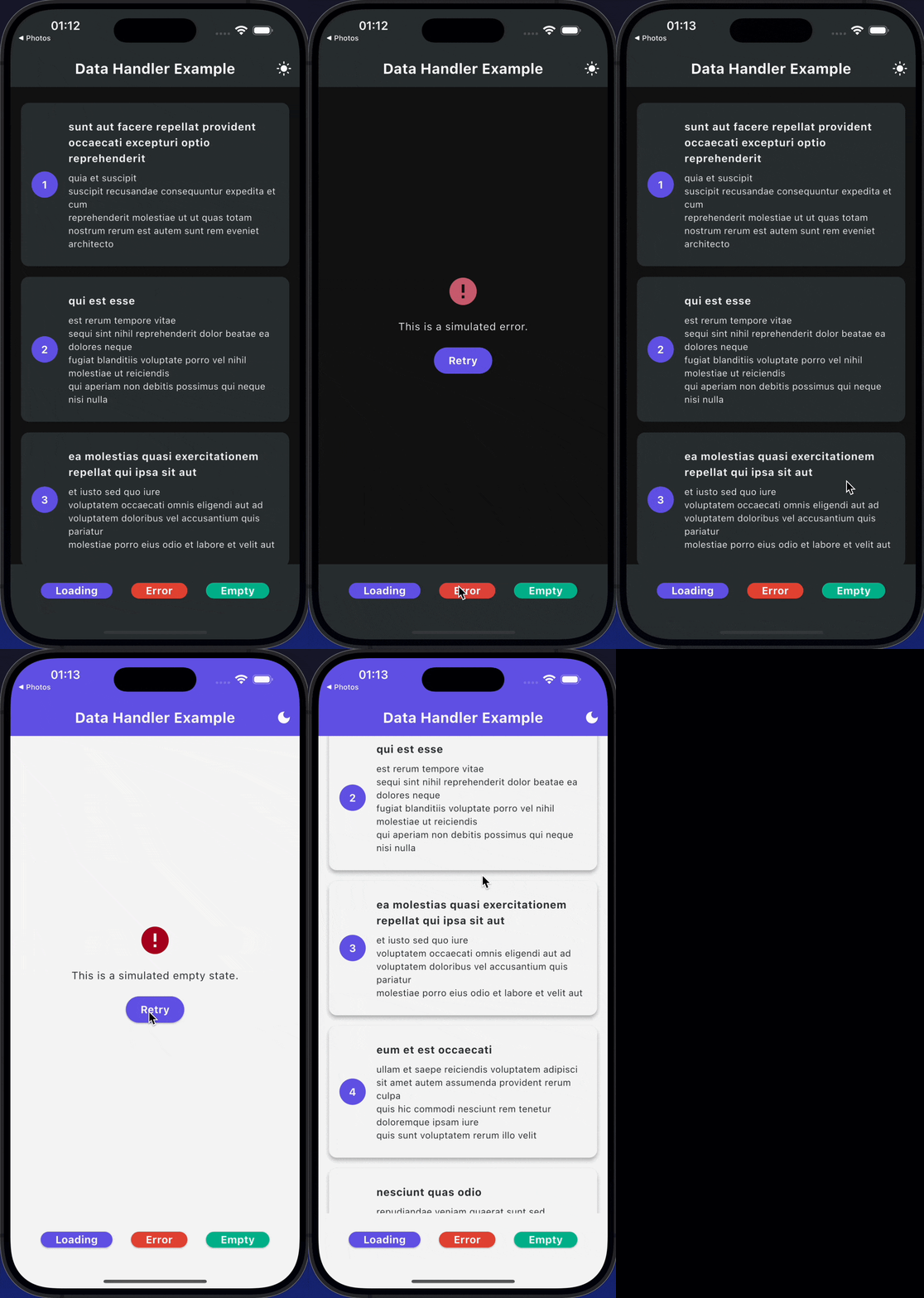
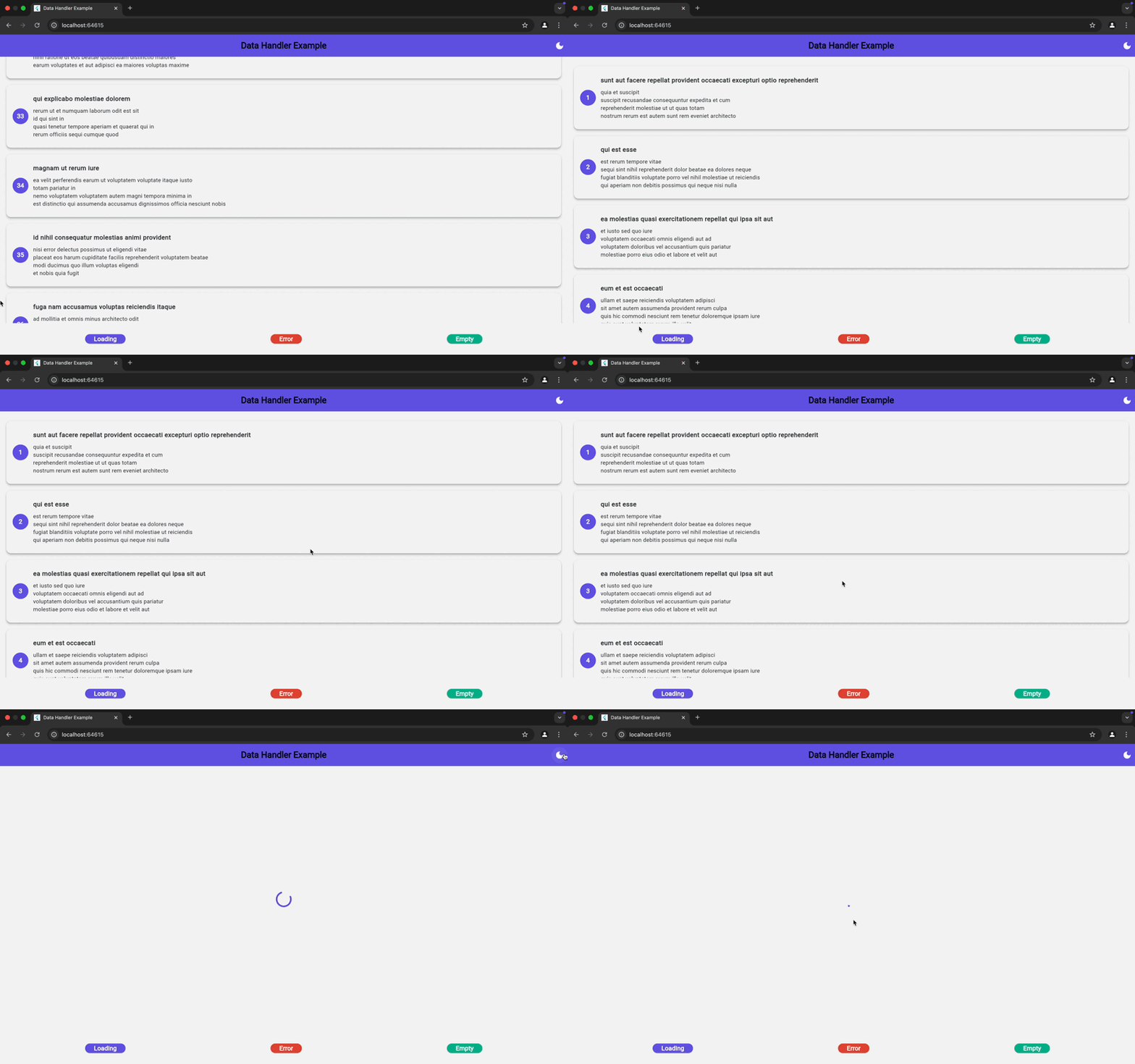
if (handler.isLoading) {
  // Show loading indicator
}

if (handler.hasSuccess) {
  // Data is available and valid
  print('Data: ${handler.data}');
}

if (handler.hasError) {
  // Handle error case
  print('Error: ${handler.errorMessage}');
}DataHandler<List<String>> listHandler = DataHandler();
// Check list state
print('Is empty: ${listHandler.isListEmpty}');
print('Length: ${listHandler.listLength}');// Update data without loading state (for real-time updates)
handler.updateData(newData);
// Clear all data and reset to empty
handler.clear();// Disable automatic state handling when needed
handler.when(
enabled: false, // Always shows success widget if data exists
onSuccess: (data) => SuccessWidget(data),
// ... other callbacks
);
// Control global widget fallback
handler.when(
useGlobalWidgets: false, // Only use local widgets
onSuccess: (data) => SuccessWidget(data),
// ... other callbacks
);Prevents unnecessary subtree rebuilds when large models mutate. Only rebuilds the specific widget when the selected field changes:
handler.select<int>(
  selector: (user) => user.unreadCount,
  builder: (context, count) => BadgeCounter(count),
);Eliminates out-of-order race conditions and delays execution while user types:
await searchHandler.refresh(
  () => api.search(query),
  debounce: const Duration(milliseconds: 300),
);Instantly updates the UI and automatically reverts if the server call fails:
await postHandler.optimisticUpdate(
  likedPost,
  action: () => api.likePost(postId),
  rollbackOnError: true, // Automatically reverts if network throws!
);Binds directly to WebSockets, Firebase, or Supabase streams with leak-free auto-disposal:
chatHandler.bindStream(chatService.messagesStream);Directly appends paginated items without cloning large collections in RAM:
listHandler.appendData(nextPageItems);Centralized telemetry, auth-token expiry, and exception mapping across all team members:
DataHandlerConfig.setErrorFormatter((error) {
  if (error is DioException) return error.response?.data['message'] ?? 'Network Error';
  return error.toString();
});

DataHandlerConfig.addInterceptor(MyLoggingAndAuthInterceptor());Keep existing data on-screen during pull-to-refresh without showing a jarring full-screen loading indicator:
await handler.refresh(
  () => api.fetchFeed(),
  preserveData: true, // Retains existing data on screen while fetching updates
);Render only the specific states you care about with a clean orElse fallback:
Widget build(BuildContext context) {
  return handler.maybeWhen(
    onLoading: () => const ShimmerPlaceholder(),
    onSuccess: (data) => FeedList(data),
    orElse: () => const SizedBox.shrink(),
  );
}DataHandler is fully optimized for Flutter's multi-platform capabilities, ensuring smooth performance on:
| Platform | Status |
|---|---|
| 📱 Android | ✅ |
| 🍏 iOS | ✅ |
| 🖥️ Web | ✅ |
| 🏢 Windows | ✅ |
| 🍎 macOS | ✅ |
| 🐧 Linux | ✅ |
If you're upgrading from v0.0.3, here's what changed:
// OLD (v0.0.3)
handler.when(
  context: context,
  loadingBuilder: (context) => Loading(),
  successBuilder: (data) => Success(data),
  errorWidget: ErrorWidget(),
)

// NEW (v0.0.4)
handler.when(
  onLoading: () => Loading(),
  onSuccess: (data) => Success(data),
  onError: (error) => ErrorWidget(error),
)
Key Changes:
- Removed
contextparameter - Changed builder names (
loadingBuilder→onLoading) - Replaced widget properties with callbacks
- Added global configuration system
We love contributions! 🚀
Feel free to open issues, discuss features, or submit pull requests to enhance DataHandler. Let's build something amazing together! 🛠️✨
This package is released under the MIT License. 🔓
Enjoying DataHandler? Give it a ⭐ on GitHub and help others discover it! 😊🚀
Made with ❤️ for the Flutter community