
Turn an STL or OBJ mesh into a real solid you can model against in Fusion 360.
User manual: how to use each tool and what every setting does, with screenshots. Also as a PDF and on the website at stltosolid.com/docs.
I design 3D-printed parts as a hobby, and I kept needing to model around a mesh: a bracket from Thingiverse, a scanned housing, a controller shell. Fusion 360's free tier turns a mesh into a solid made of thousands of little triangles. You can't sketch on it, measure it or build on it.
stlToSolid gives you flat faces, round holes and smooth curves instead, so the part behaves like something you modelled yourself.
The same servo_bracket_1.stl, opened in Fusion 360 three ways. Left:
Fusion's own Mesh → Solid (every triangle becomes a face). Middle: the
STL mesh as loaded. Right: the STEP from stlToSolid, with 23 faces, planes
and cylinders, and holes that are real holes.
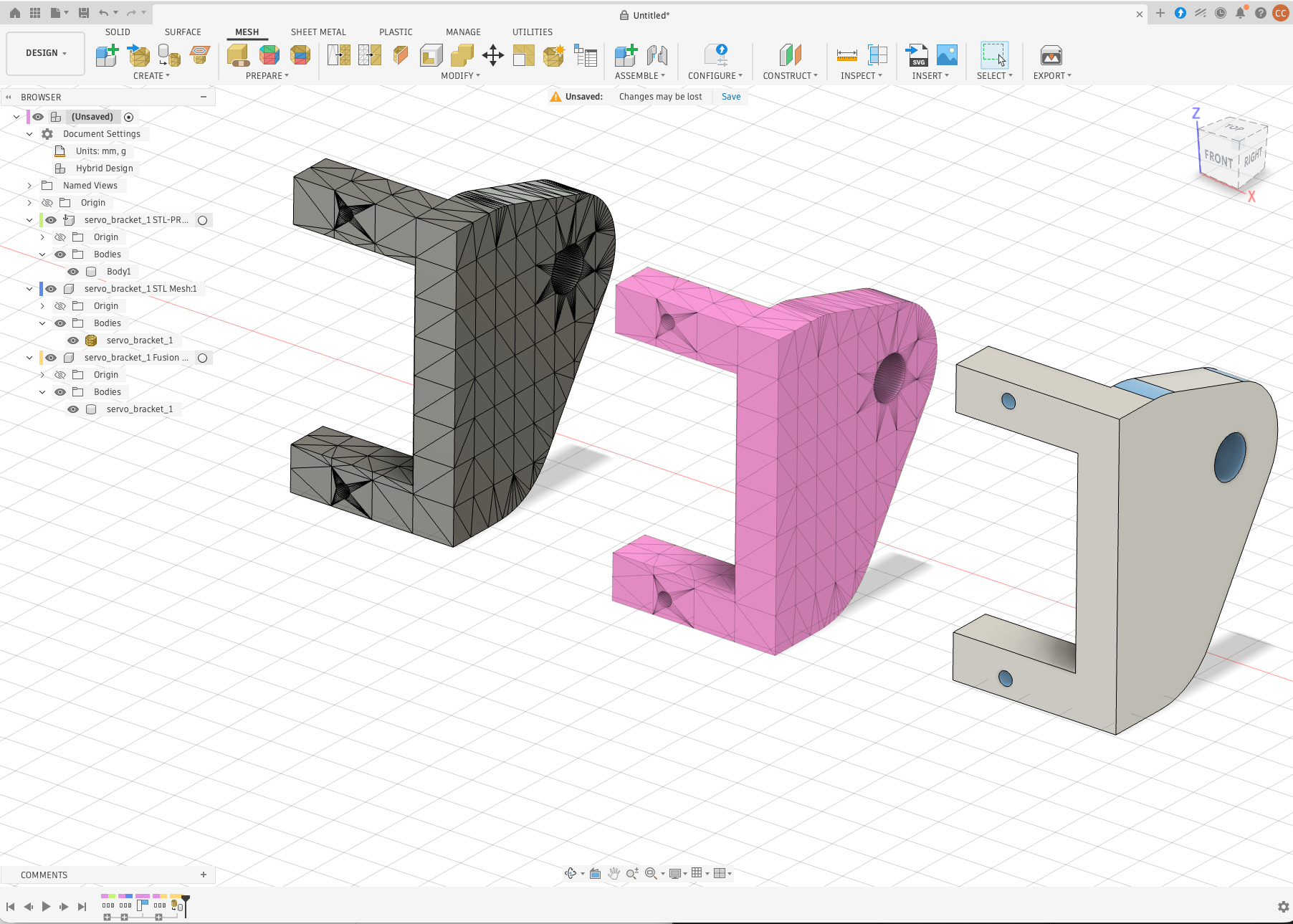
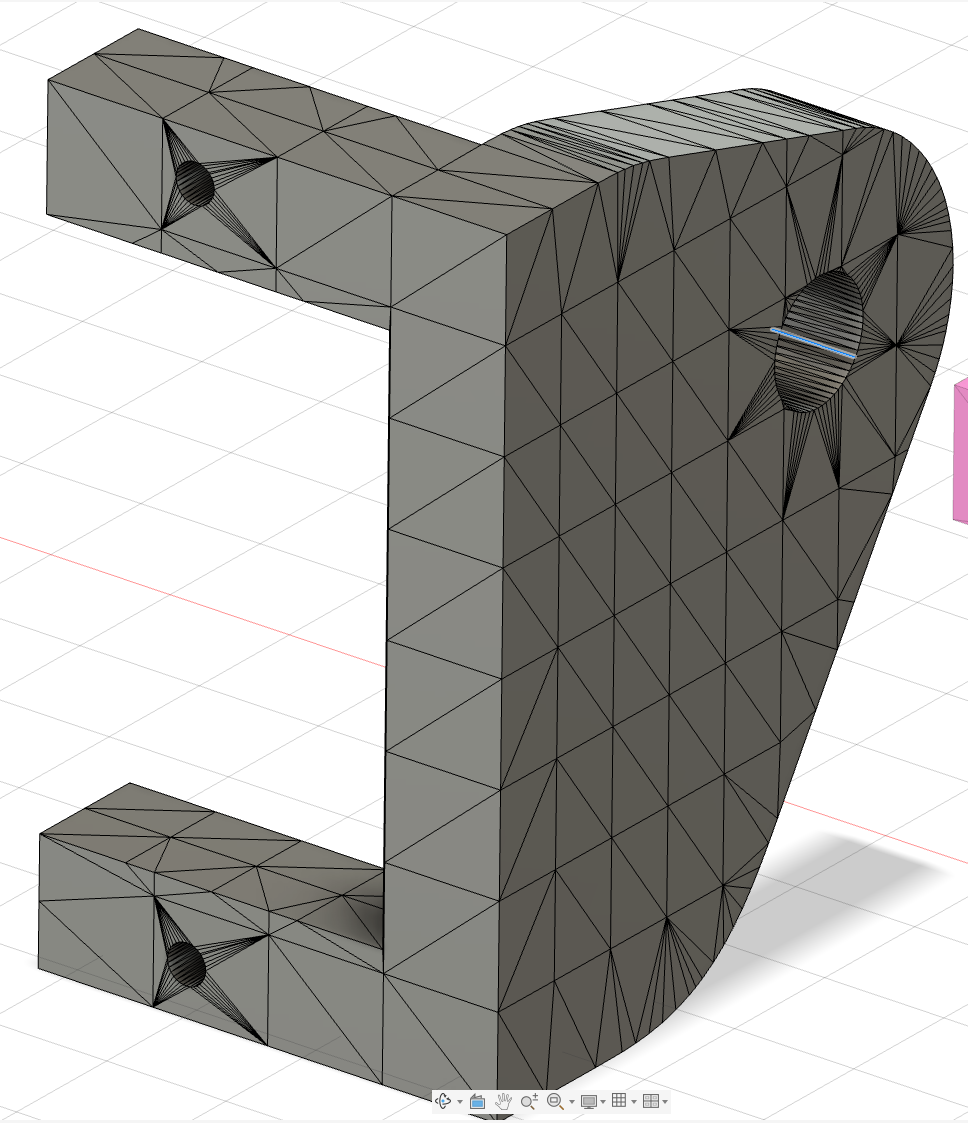 Fusion Mesh → Solid, zoomed in: one face per triangle, so the "solid" carries all 1,644 facets and cannot be sketched on, filleted or measured like a modelled part. |
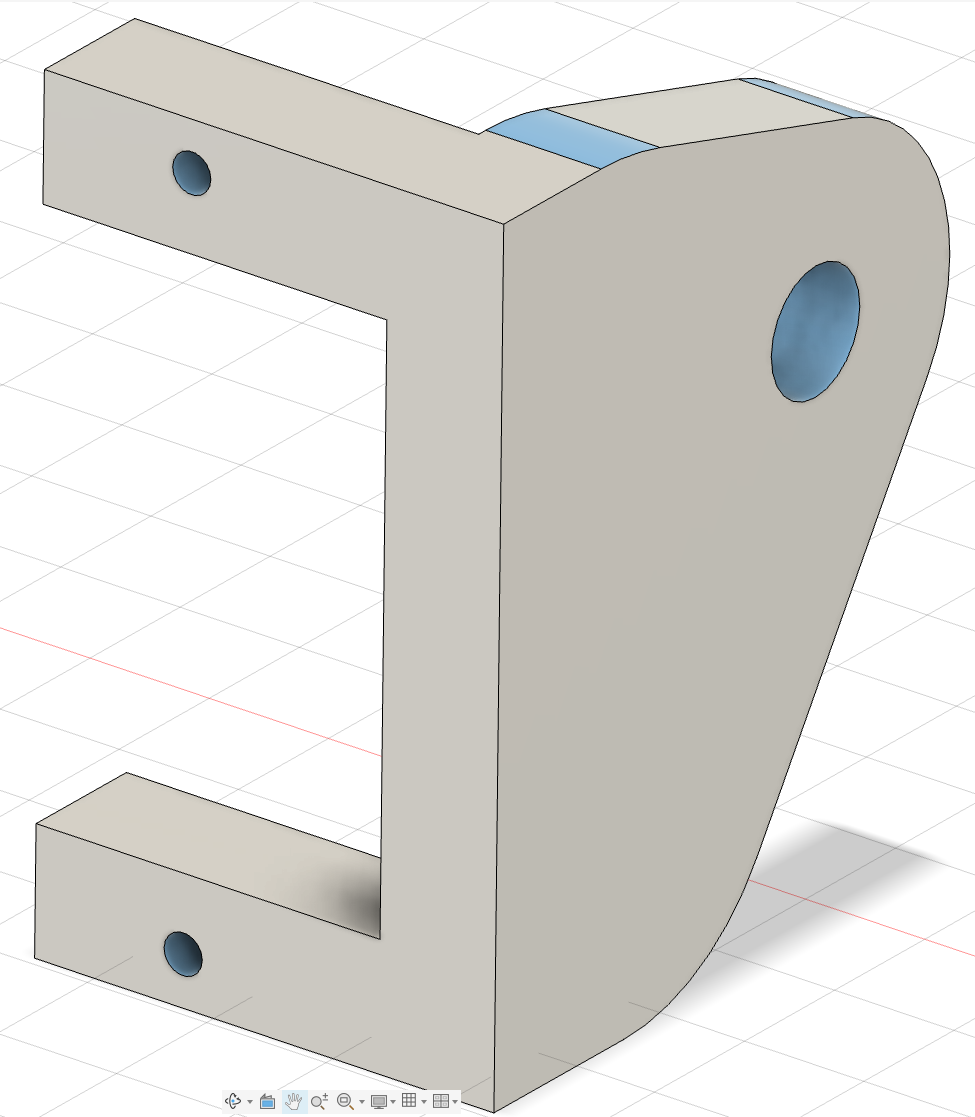 stlToSolid, zoomed in: flat faces are single planes, the blend is one cylinder, the edges are where the design has them. |
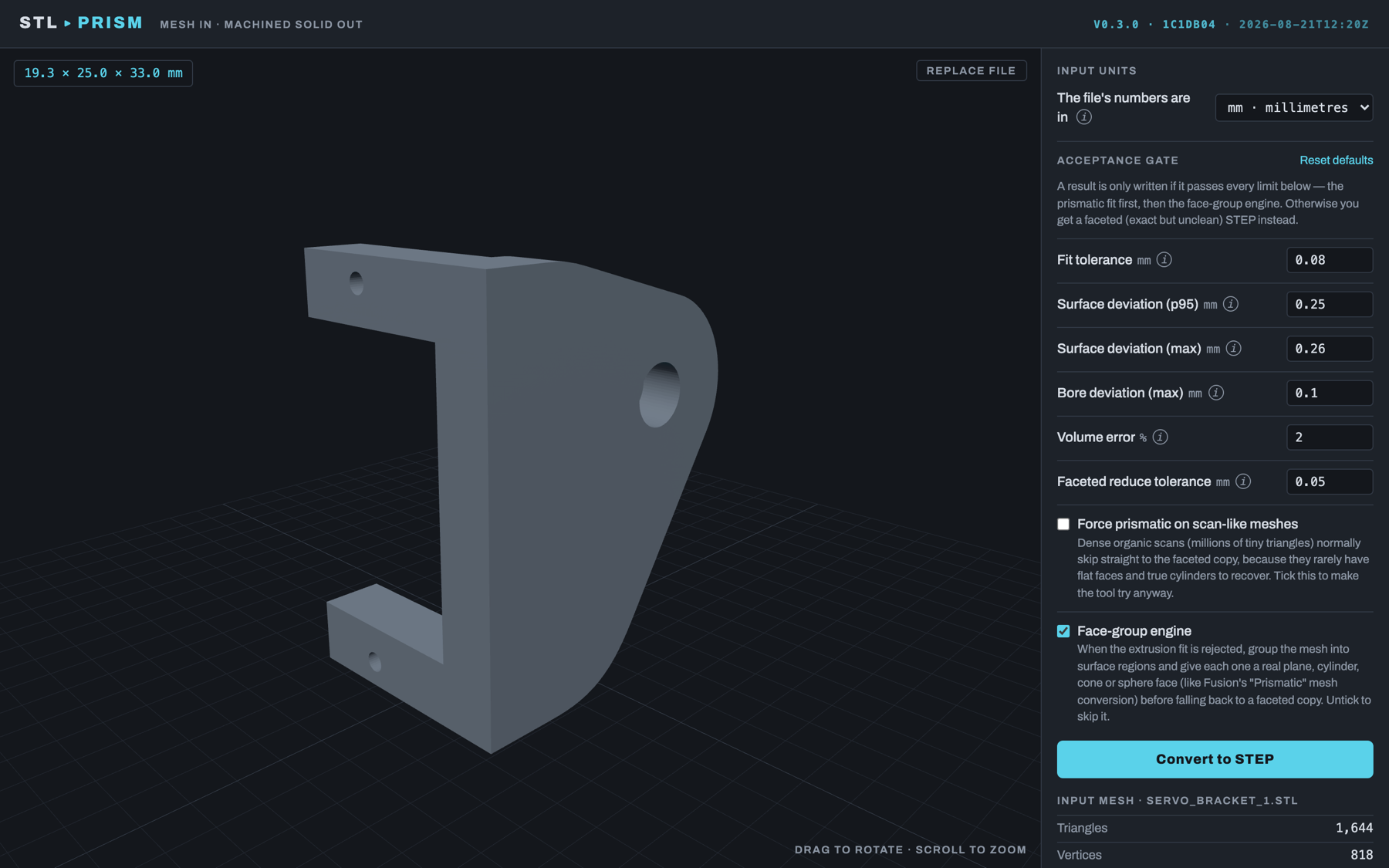 Mesh loaded, with units and quality limits. |
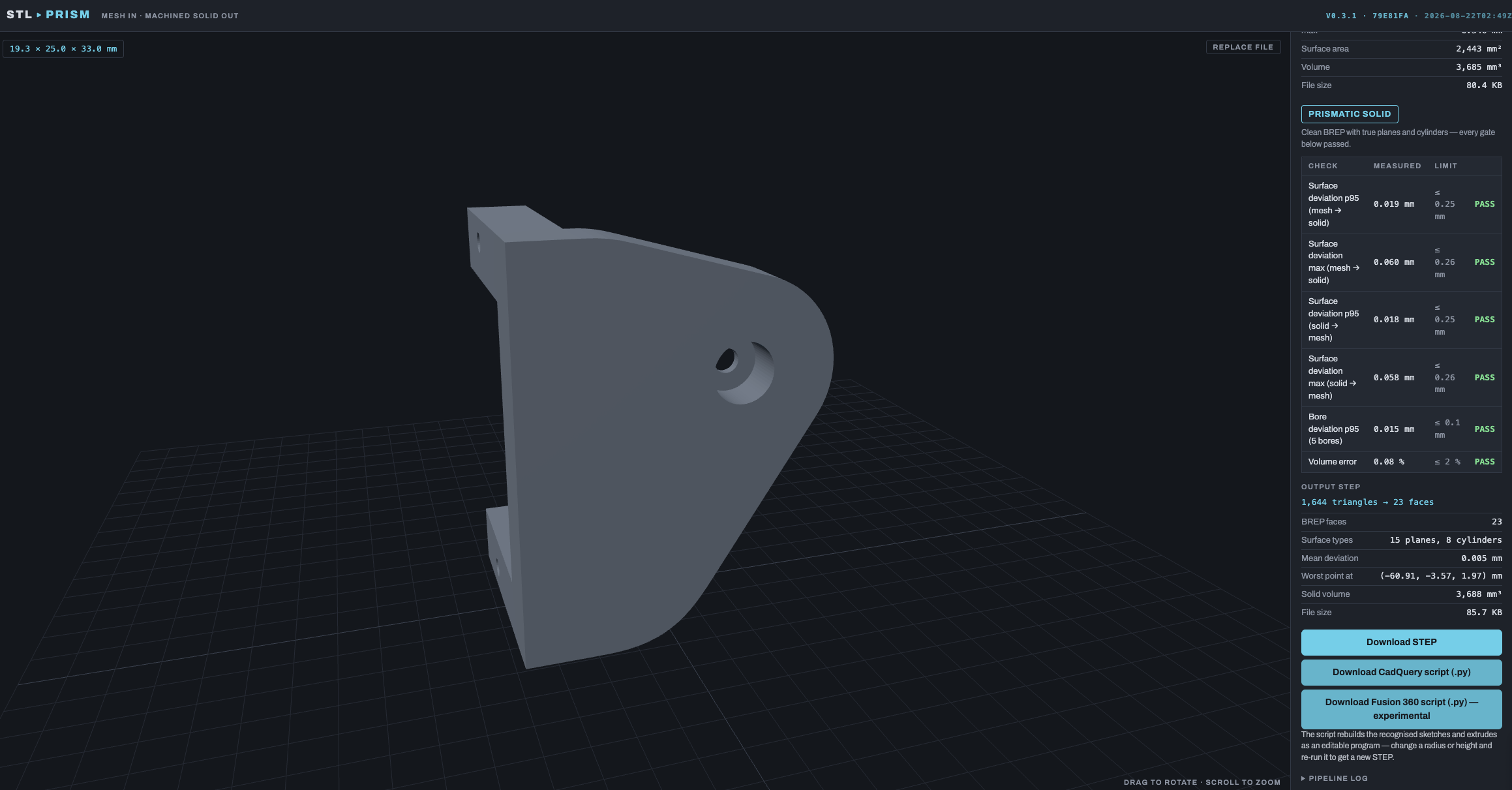 Servo bracket: 1,644 triangles → 23 faces (15 planes, 8 cylinders), max deviation 0.060 mm. |
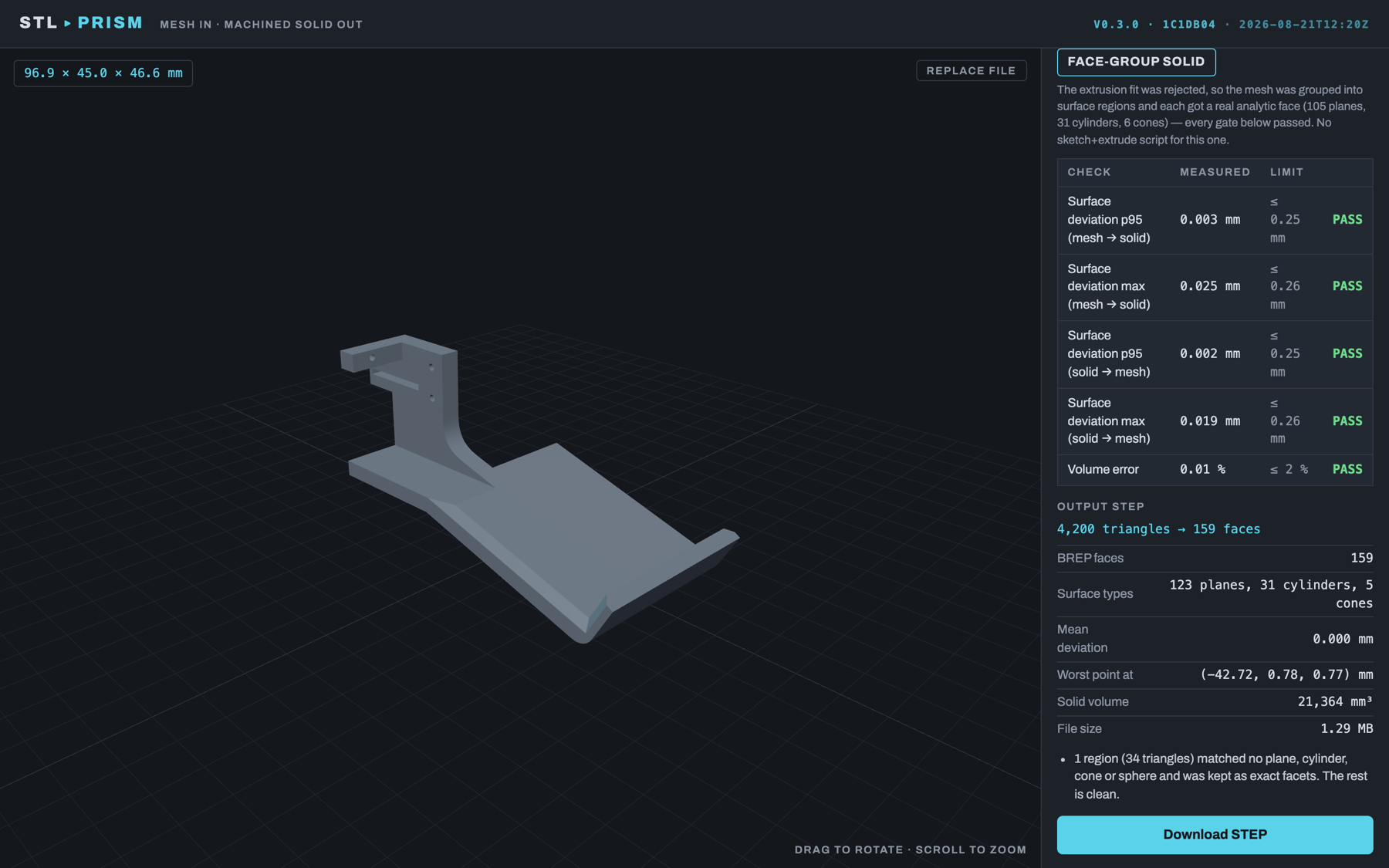 Frame with countersinks: 4,200 triangles → 101 faces, max deviation 0.040 mm. |
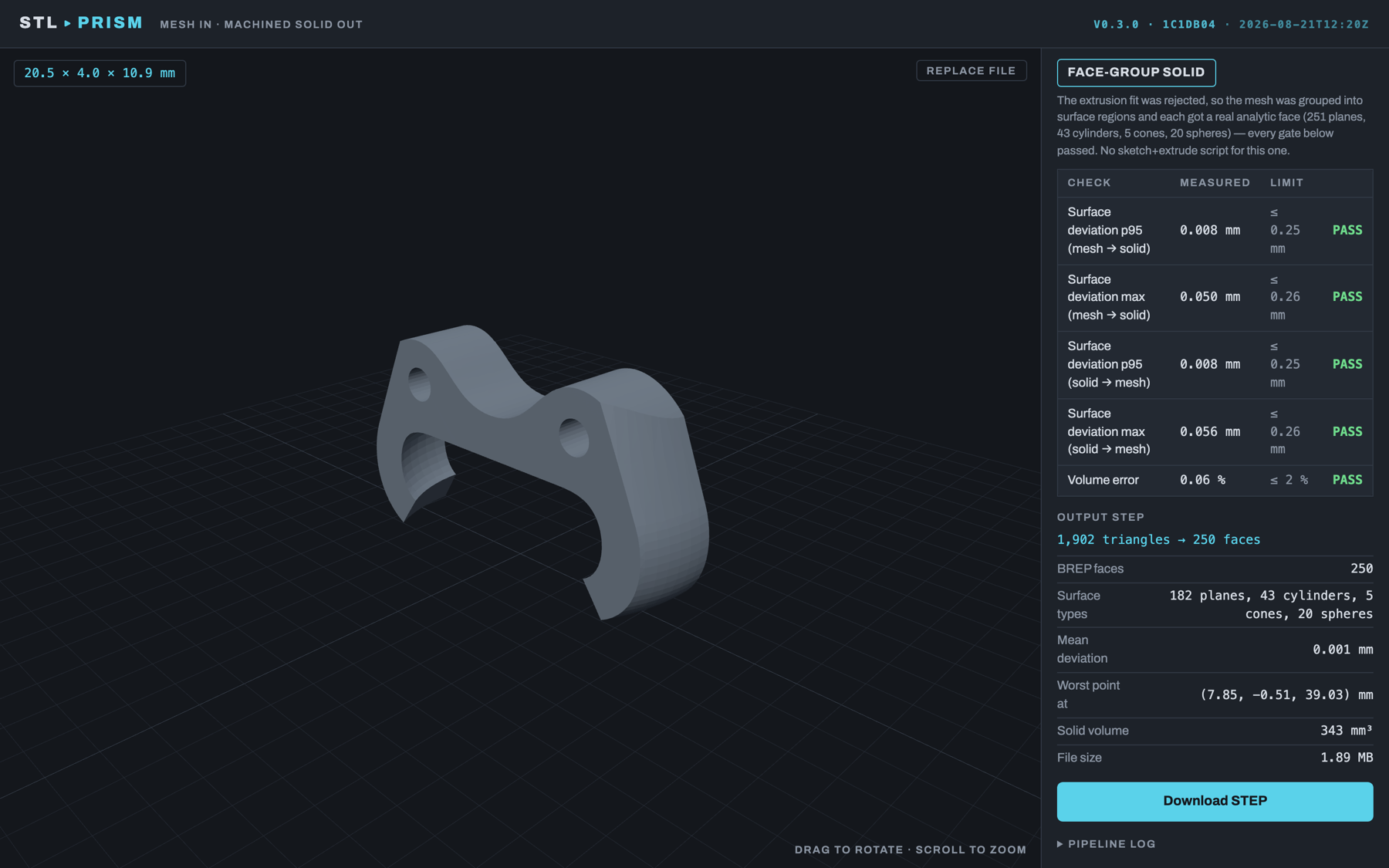 Joystick claw: 1,902 triangles → 250 faces, including 43 cylinders and 20 spheres. |
- Mesh → Solid. Drop in a mesh and get a STEP file with real planes, cylinders, cones and fillets. Simple parts also come with a Fusion script that rebuilds them as editable sketches and extrudes.
- Sliced Loft. For smooth, rounded shapes like caps, handles and shells. It slices the mesh into outlines and lofts them into one smooth solid.
- X-Ray. Traces a stack of outlines between two planes and gives you a Fusion script with one sketch per slice. It can also extrude the slices into a stepped solid.
- Blueprint. Starts from a picture, not a mesh. Drop in a dimensioned drawing, and an AI model of your choice reads the numbers and builds a parametric Fusion script and a STEP. You can fix any number it misread. It then looks at its own build from four sides and corrects what differs from the drawing; a part with bends, blends or tilted bosses, which the parametric recipe cannot draw, it writes as a short CadQuery script instead (STEP only).
Results open in Fusion 360 (or any CAD program that reads STEP).
There is also a Fusion 360 add-in, Mesh to Outline, that does the X-Ray tracing inside Fusion itself. The user manual has a step-by-step guide for every tool, the add-in included.
| Mac (Apple Silicon) | Download the app from Releases. No Python or Docker needed. |
| Windows (64-bit) | Download from Releases. Unzip and open. |
| Your NAS or a server | One Docker container you open from any browser: docker compose up --build, then go to http://localhost:8321. Step-by-step NAS guide: docs/DEPLOY-NAS.md. |
| Command line | pip install stltosolid then stltosolid part.stl makes part.step. |
| An AI assistant | Claude, Cursor or any MCP client can drive every tool. See below. |
The Mac and Windows apps are the same app as the web version, in their own window.
Some results come with a .py script for Fusion 360. To run one:
- Put the
.pyfile in an empty folder. - In Fusion: Utilities → Add-Ins → Scripts and Add-Ins → +, and pick that folder.
- Press Run.
stlToSolid is also an MCP server. An assistant can look at a mesh, convert it, read the report, slice it, and build a part from a drawing it reads itself. Everything runs on your computer. Nothing is uploaded, and no API key is needed.
claude mcp add stltosolid -- uvx --python 3.12 --from "stltosolid[mcp]" stltosolid-mcp
For Claude Desktop, Cursor and others, put this in the client's MCP settings:
{
  "mcpServers": {
    "stltosolid": {
      "command": "uvx",
      "args": ["--python", "3.12", "--from", "stltosolid[mcp]", "stltosolid-mcp"]
    }
  }
}
You need uv. The first start downloads the geometry kernel, about 2.8 GB, so run this once in a terminal first. It installs everything and tests it. Later starts take under a second.
uvx --python 3.12 --from "stltosolid[mcp]" stltosolid-mcp --check
Results go to ~/stlToSolid/mcp-output, and nothing is ever overwritten. The
user manual
lists the tools, the one-click Claude Desktop bundle and the remote mode for a NAS.
Using the app: the user manual (PDF) walks through every tool and every setting.
How it works inside: how each tool works, every setting, the API, measured results and the version history are in docs/TECHNICAL.md.
PolyForm Noncommercial 1.0.0. See LICENSE. Free for personal, hobby, educational and research use. Commercial use needs the author's permission, so get in touch.
Third-party parts keep their own licences (CadQuery Apache-2.0, OpenCascade
LGPL-2.1 with exception, trimesh MIT, shapely/networkx BSD). The optional
scan extra installs pymeshlab, which is GPL-3.0. It is not part of this
package's licence and is only installed if you ask for it.