


This repository contains example projects that show how to use SEGGER RTT with pyOCD. The examples carry standard I/O over the existing debug connection, so neither the target nor the test system needs a dedicated UART, extra pins, a connector, or a serial adapter. RTT can route this I/O to an interactive console during development or to files for repeatable, headless test automation, with minimal impact on real-time behavior.
- Install Keil Studio for VS Code from the VS Code marketplace.
- Clone this repository, for example using Git in VS Code, or download the ZIP file. Then open the repository root folder.
There are 2 example projects in this repository for the following boards:
- STMicroelectronics STM32F407G-DISC1 (single-core standard input and output)
- Infineon KIT_T2G-B-H_LITE (multicore standard output)
Follow the instructions in the README file for each project.
Each solution contains two target sets that configure how RTT standard I/O is handled by pyOCD:
consoleconnects RTT channel 0 to an interactive serial console I/O.file-ioredirects RTT standard I/O to files. This target set is especially useful for automated, headless tests with pyOCD because test output can be collected and checked without an interactive terminal. The STM example readsname.txtand writesoutput.txt; the Infineon multicore example writesoutput_Cortex-M0p.txt,output_Cortex-M7-0.txt, andoutput_Cortex-M7-1.txt.
After building the Infineon solution with the file-io target set and
programming the board, run the test from Infineon/T2G-B-H/out with:
pyocd run --cbuild-run RTT_Multicore+CYT4BF8CDS.cbuild-run.yml --eot -O reset_type=sysresetreq --timelimit 10SEGGER Real Time Transfer (RTT) provides fast, bidirectional communication between an embedded target and a host computer while the application is running. It can be used for terminal I/O, diagnostic messages, and other data transfers with minimal impact on real-time behavior.
RTT uses the target's existing debug port rather than a dedicated UART. This has several practical benefits:
- No extra UART peripheral, pins, connector, or USB-to-serial adapter is needed.
- Production hardware can retain terminal I/O and diagnostics even when a UART is unavailable or not exposed on the board.
- Automated Hardware-in-the-Loop (HIL) tests can program, control, and communicate with a target through the same debug connection.
- Input and output are available without changing the application hardware.
pyOCD provides the host-side debug connection. It connects to CMSIS-DAP debug units such as Arm ULINKplus, as well as ST-LINK probes, and accesses RTT data through the target's debug port.
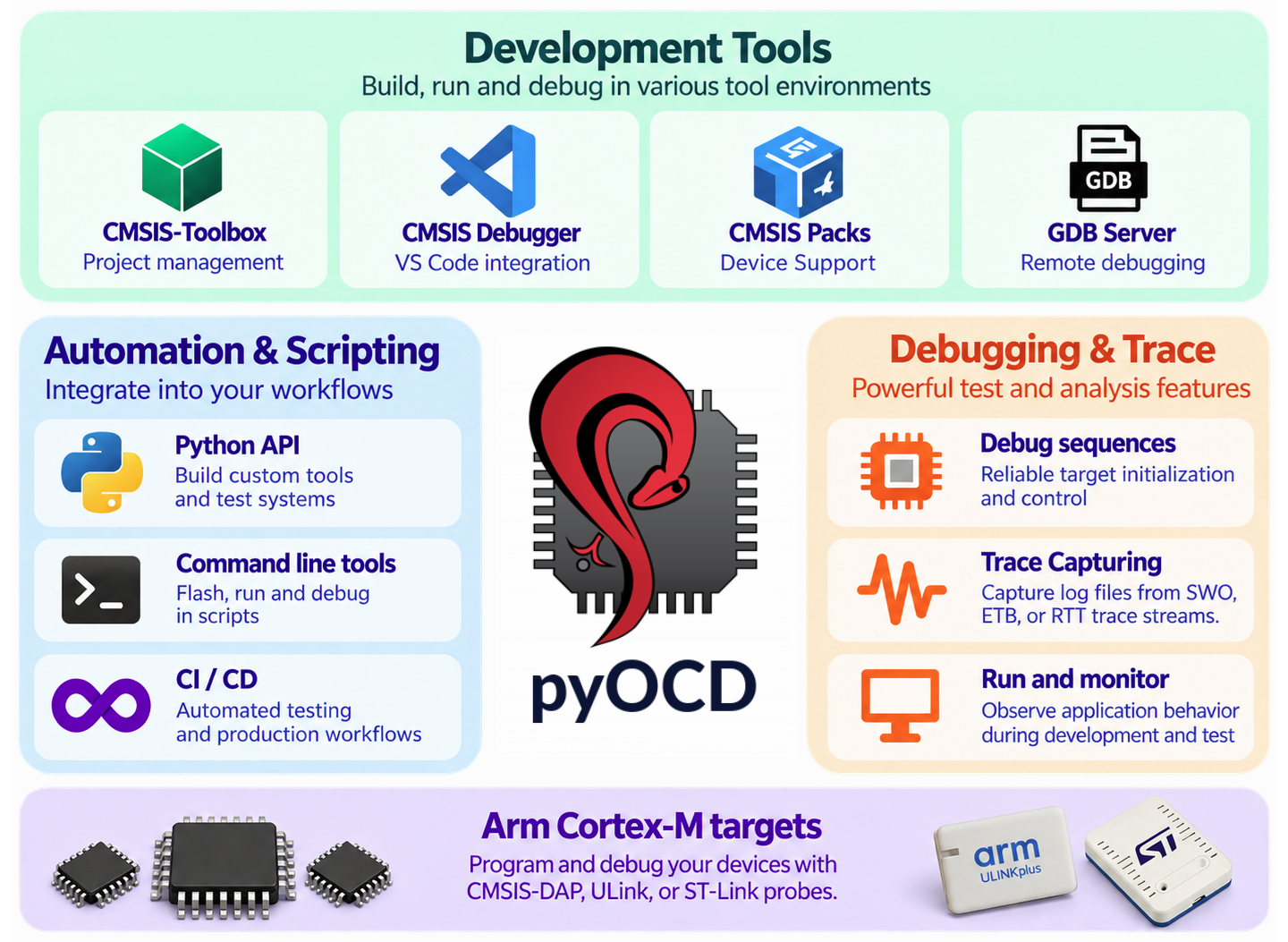
The CMSIS solution files are used for local development, CI builds, and target execution. The workflows use:
vcpkg-configuration.jsonto install consistent tools on developer systems and GitHub-hosted runners.- The
*.csolution.ymlfiles to describe the projects, software packs, build contexts, and target sets. - The generated
*.cbuild-run.ymlfile to provide pyOCD with the images and target configuration for hardware execution.
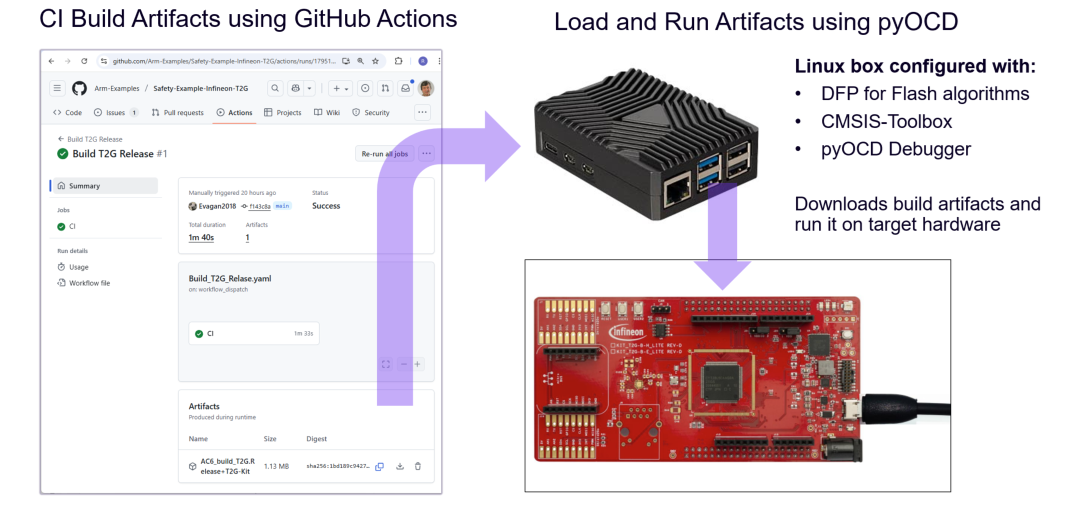
| Workflow | Description |
|---|---|
| Build SEGGER RTT Multicore | Builds the Infineon application with the file-io target set on a GitHub-hosted runner and uploads the generated files as an artifact. |
| Run SEGGER RTT Multicore | Runs on a self-hosted, Linux-based GitHub runner connected to the Infineon KIT_T2G-B-H_LITE. It downloads the build artifact, programs and executes the target with pyOCD, captures RTT output, and verifies the output from all three cores. |
| Build SEGGER RTT STM32F407 | Builds the STM32F407 application on a GitHub-hosted runner. This example has no HIL run action. |
The HIL equipment and self-hosted runner are configured outside this repository. See the shared Arm-Examples instructions: